

LockRoom · Virtual data rooms · M&A
A data room that gives deal teams control over who sees what
During due diligence, several buyers may be reviewing the same deal with different levels of access. LockRoom gives advisors one place to organize deal documents, set permissions for each buyer group, and see what happened after files were shared. Spadasoft worked with the LockRoom team on its data room platform.
The problem
One deal. Several buyers. Different permissions.
An advisor might let one buyer group preview a document while allowing another to download it. As diligence progresses, the team needs a way to change access and check who opened or downloaded a file. That’s the workflow LockRoom is built around.
How LockRoom works
From sharing documents to reviewing activity
Organize the deal room
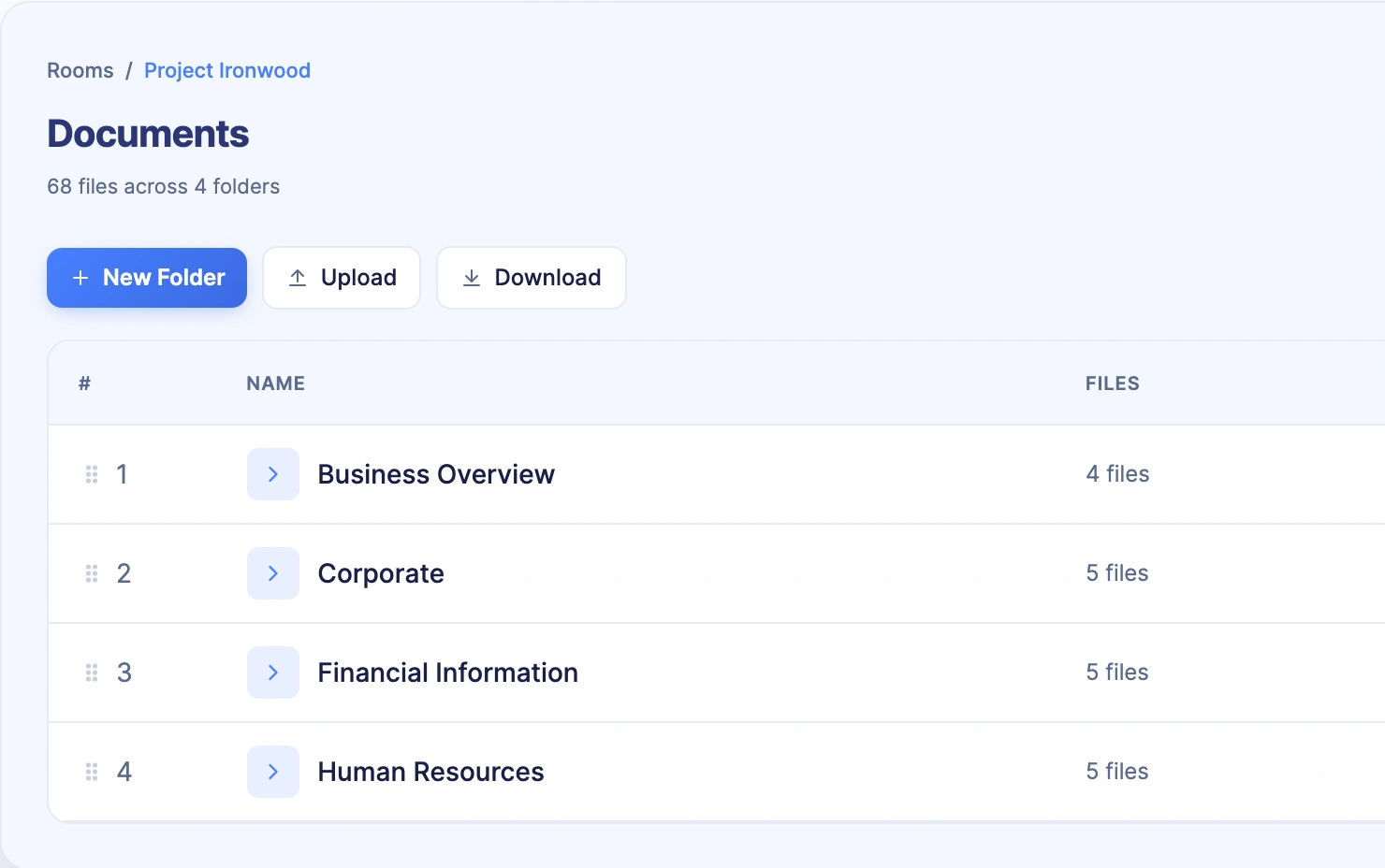
Advisors can bring the deal’s folder structure into one room, so buyers can find the documents they’re allowed to review.
Shown in the Project Ironwood document view above.
Set access by buyer group
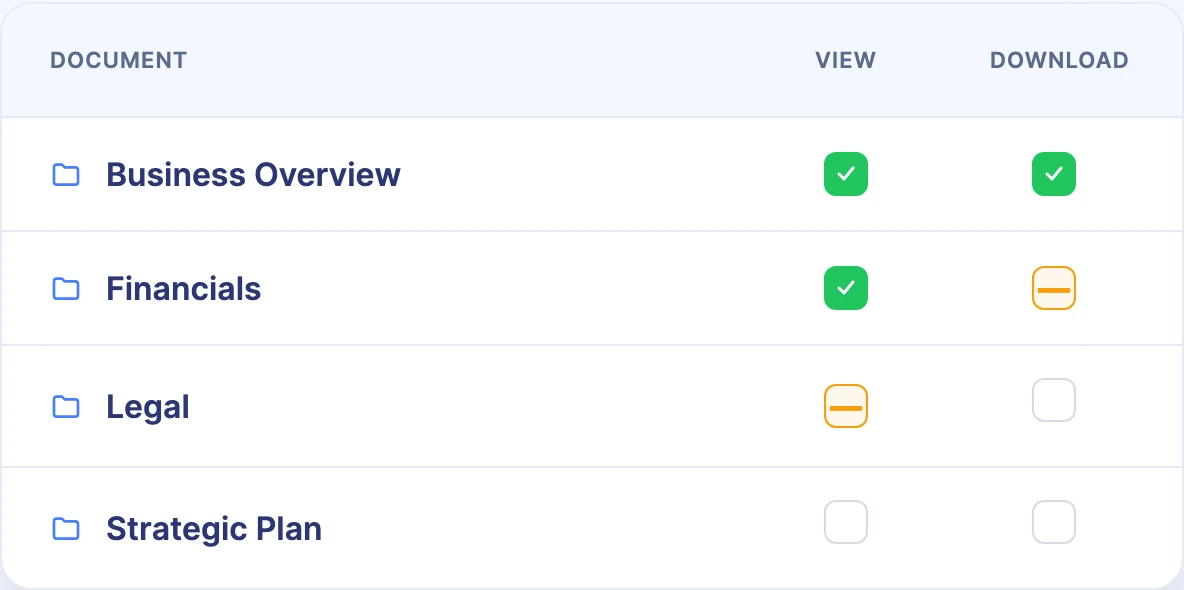
Deal teams can control who can view or download a file and whether they get the original or a watermarked version. Permissions can be set by buyer group, folder, and file.
Review what happened
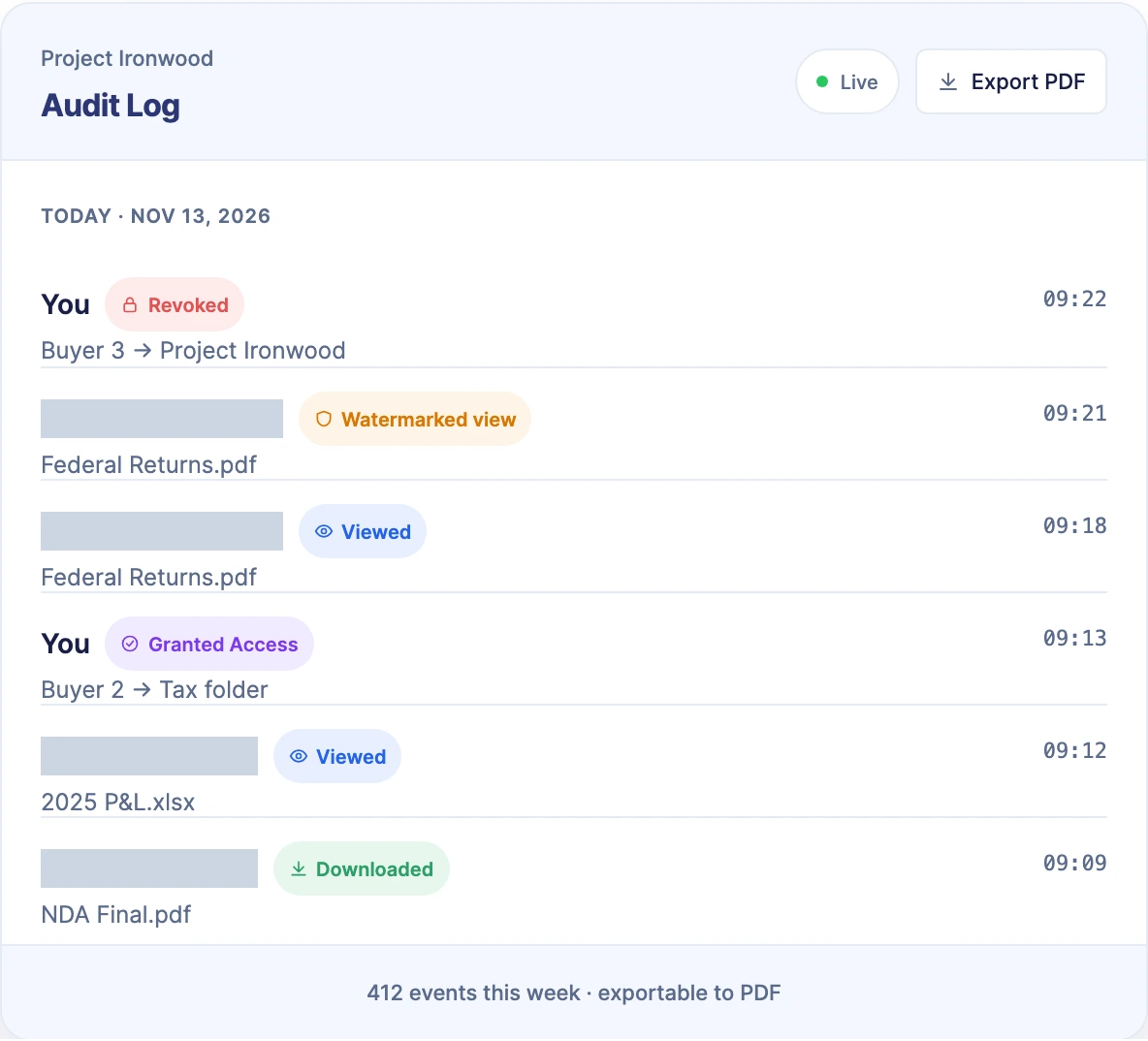
The room’s audit log records document views, downloads, and permission changes. Deal teams can export that record when they need it.
Product views: LockRoom’s public homepage. Read about access controls and audit logs.
Hear it from our clients
TJ Moruzzi on working with Spadasoft
LockRoom’s founder talks about the data room project, how the teams worked together, and what changed after launch.
Read the video transcript
TJ Moruzzi, Founder, LockRoom
My name’s TJ Moruzzi. I’m the founder at LockRoom. I’d like to take a moment to share my experience when working with Spadasoft Software Development Company.
We’ve been working together for over a year now, and I couldn’t be more grateful for their dedicated, skilled, hardworking team. Whether it’s app development, SEO, website creation, or strategic guidance, Spadasoft has supported us every step of the way. The entire journey has been smooth, collaborative, and full of real results.
One of the standout projects is our actual LockRoom application. Since launching the updated version, we’ve seen an increase in client engagement and overall growth of our business.
Spadasoft’s support has gone far beyond development. As a cloud-based platform, they introduced smart AI-powered solutions that helped us build a secure and reliable system that our users can trust.
Since implementing their work, we’ve seen a noticeable improvement in both our website performance and overall user experience. I definitely recommend Spadasoft to anyone looking to level up their digital presence and grow their business.
Spadasoft’s contribution
The work behind the product
Spadasoft worked with LockRoom on its data room platform. In the testimonial, TJ describes that work and shares what he noticed after launch.
Your next product
Building software with complex permissions?
Tell us what your users need to access, share, or track. In a free 20-minute call, we’ll help you decide what to build first and what can wait.
Explore more success stories