
Make the Dot · Fashion tech · Collaborative design

From a browser tab to a shared fashion design board

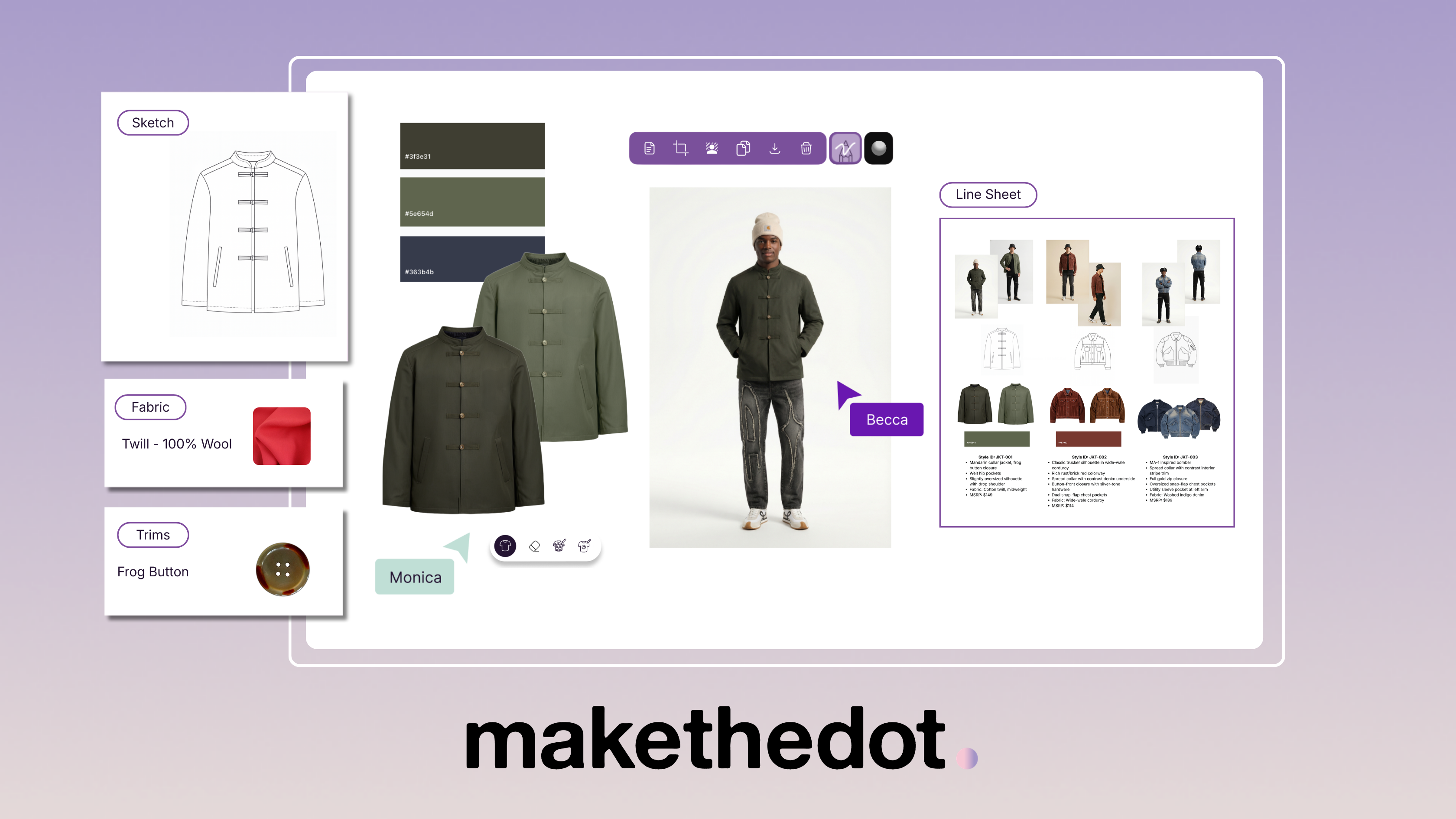
A garment idea can start with a fabric swatch, a sketch, or a reference found online. Make the Dot gives fashion teams a shared canvas to bring those pieces together and develop the concept. Spadasoft helped build the visual workspace, the tools for collecting references, and features for preparing and visualizing design assets.

Make the Dot design board showing a garment sketch, fabric and trim references, an on-model visual, and a line sheet
From reference materials to a garment concept, on one board.

01 / The challenge

A collection starts with references scattered everywhere

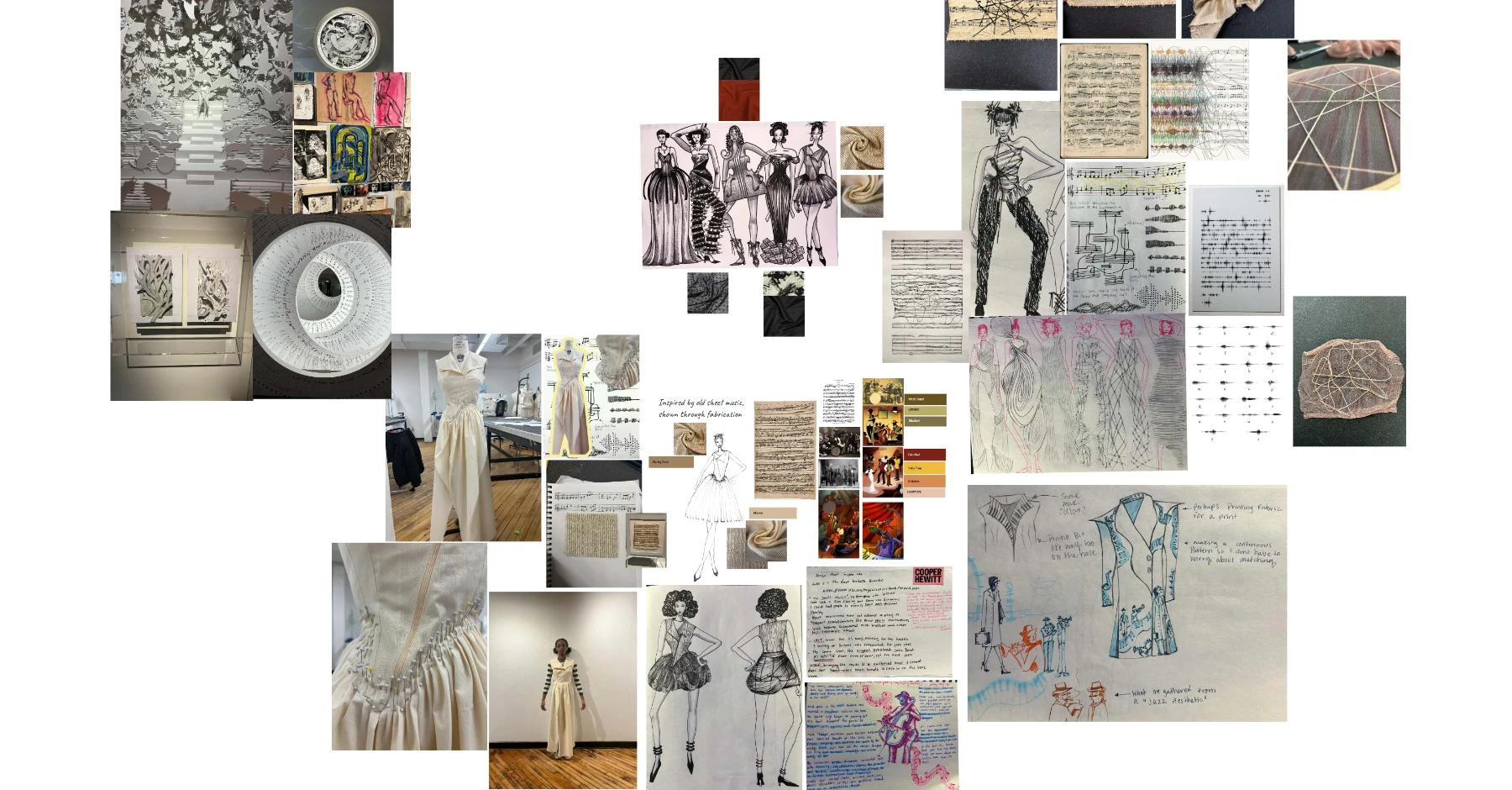
Designers collect inspiration as they browse, photograph fabrics they find in stores, and sketch ideas as they go. When those references sit in different tabs, folders, and messages, it’s hard for the team to review the same concept. Make the Dot brought research, materials, and design ideas onto one board so teams could develop the concept together.

Pratt Institute concept board collecting garment sketches, fabric swatches, color references, and visual research
A student concept board published in Make the Dot’s Pratt Institute case study.

02 / What Spadasoft helped build

How a reference becomes a garment concept

01 / Collect

Save inspiration straight from Chrome

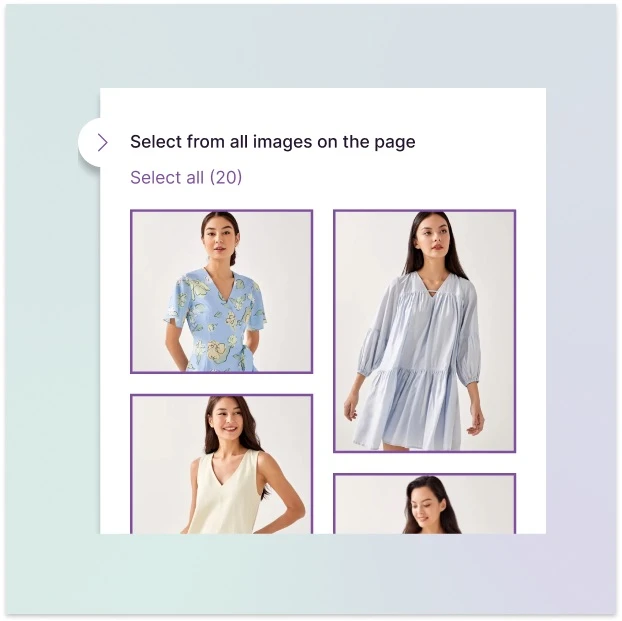
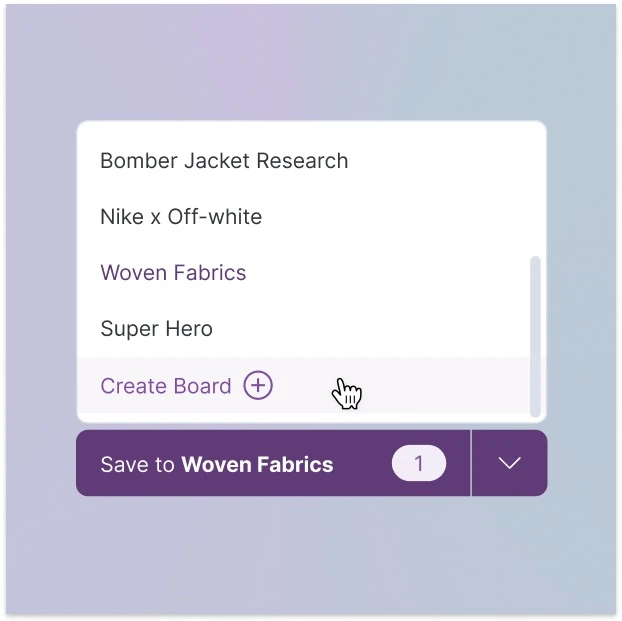
The Save to Make the Dot extension lets designers select images as they browse and send them to an existing or new board. They can save multiple references together and keep the original source links with the images.

Save to Make the Dot Chrome extension panel selecting multiple fashion reference images
Save in Bulk: select references from a page.
Make the Dot extension board picker with Create Board and Save to Woven Fabrics controls
Choose an existing board or create a new one.

Product visuals from Make the Dot’s extension guide.

02 / Develop

Develop the concept on a shared canvas

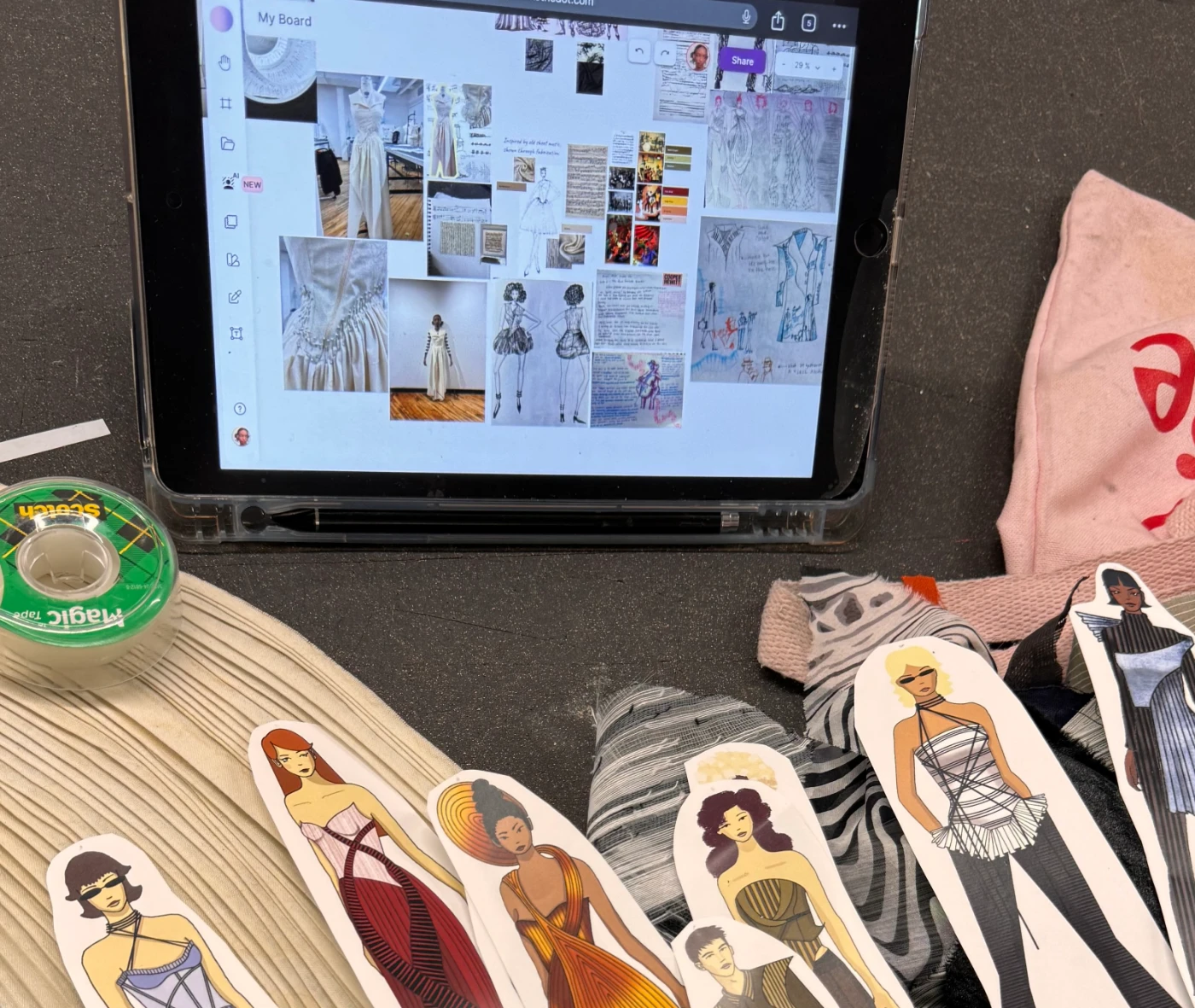
Designers can arrange sketches, colors, and digital fabric swatches on an infinite canvas. Teammates can review the same board, give feedback, and refine the concept together.

Make the Dot canvas on a tablet with its toolbar and Share button visible, beside fabric swatches and garment sketches at Pratt Institute
Digital research alongside physical materials. Photo from Make the Dot’s Pratt Institute case study.
03 / Visualize

Prepare assets and visualize garment variations

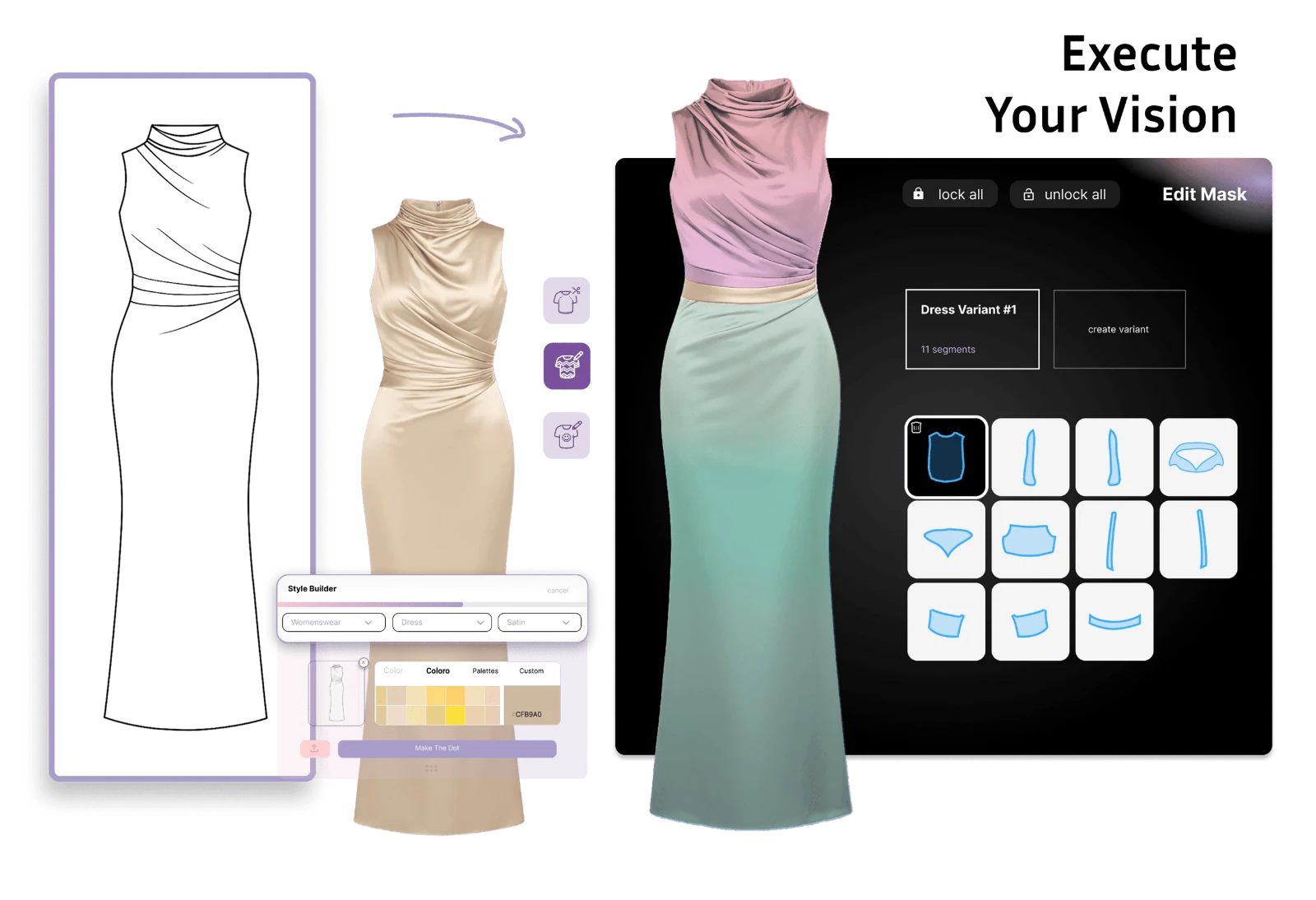
Smart cutout helps prepare imagery for the board. Style Builder helps designers see how a garment concept could look with different fabrics or colors.

Make the Dot Style Builder showing a dress sketch, satin garment renders, color choices, and garment segment controls
Style Builder: a sketch, garment renders, and color controls. Current product visual from Make the Dot’s Design page.
Engagement stack
  • JavaScript
  • React
  • Node.js
  • Swift
  • MongoDB

03 / Reported by Make the Dot

How fashion students used Make the Dot

Pratt Institute · Student-reported outcome

3 hours per week saved on average

In Make the Dot’s Pratt Institute case study, participating students reported saving an average of three hours per week during concept development because they spent less time switching between tools.

Read the Pratt Institute case study (opens in a new tab)

What should your users be able to do in version one?

Tell us what you’re building and where your users get stuck today. In a free 20-minute call, we’ll help you decide what to build first and what can wait.

Request a free 20-minute callExplore more success stories