
FreeCast · Streaming technology · OTT

Helping FreeCast bring 700+ channels into one streaming experience

Finding something to watch can mean checking a live TV guide, searching several apps, and figuring out which service has the show. Spadasoft helped FreeCast develop the platform that brings those steps together. Our work covered live TV and on-demand discovery, search, DVR, and subscription management.

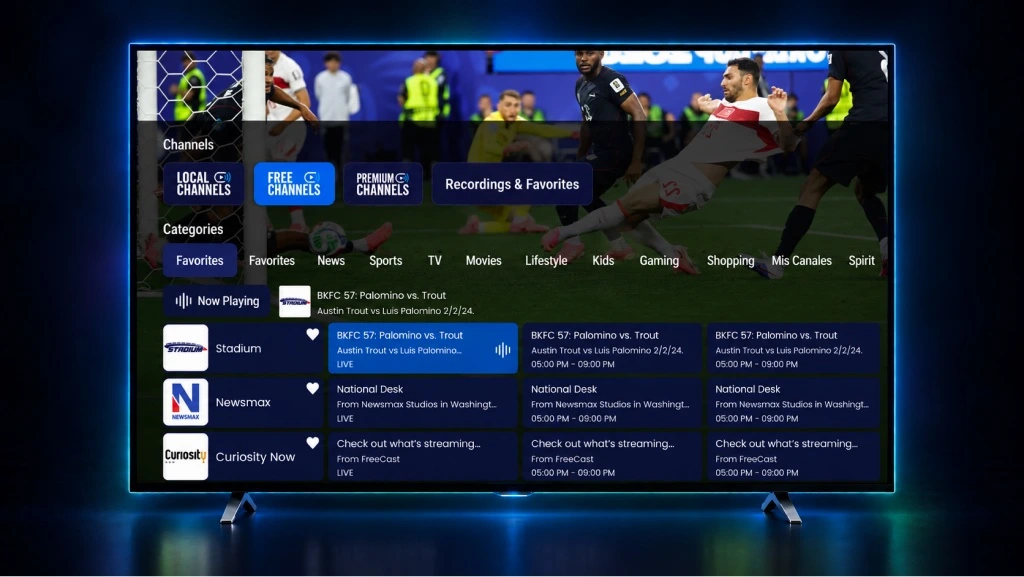
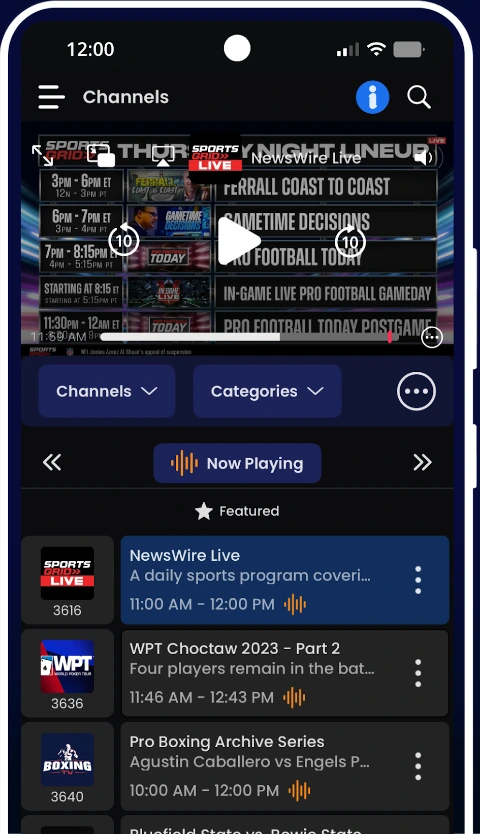
FreeCast on a television showing live playback, channel categories, and scheduled programsFreeCast Android app showing live sports playback and a mobile channel guide
TV guide from FreeCast; mobile app image from its Google Play listing.

01 / The challenge

Viewers had to find the show before they could watch it

Live channels, on-demand titles, and streaming subscriptions each come with their own menus. FreeCast needed an experience where viewers could browse what was airing, search for a specific title, and see their options from one starting point.

02 / What Spadasoft helped build

From finding a show to watching it

01 / Discover

Browse live TV and on-demand content

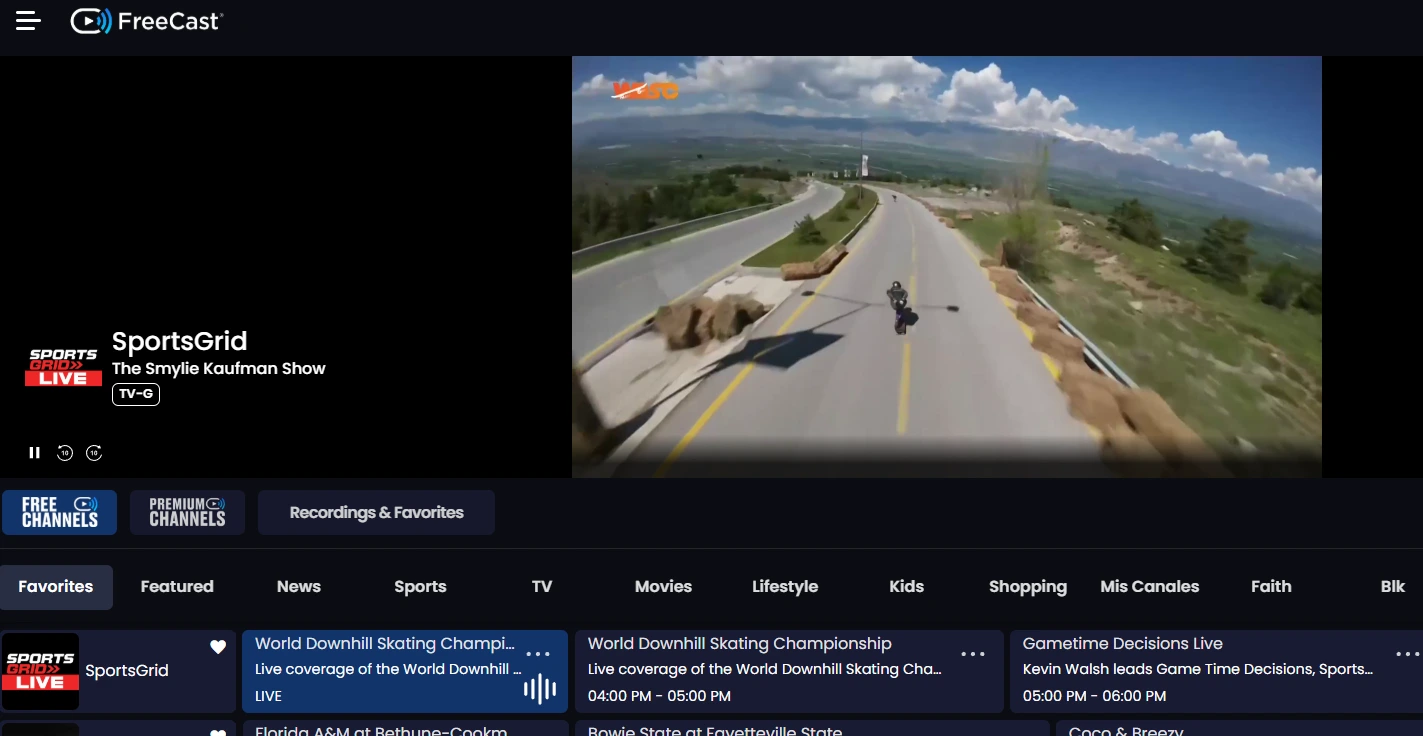
We helped bring live channels and on-demand titles into one discovery experience. Viewers can browse the channel guide or explore movies and shows.

FreeCast live playback above channel categories and a program guide

Live playback, channel categories, and the program guide. View full-size image

Current product screenshots from FreeCast Support.
02 / Find

Search and see where to watch

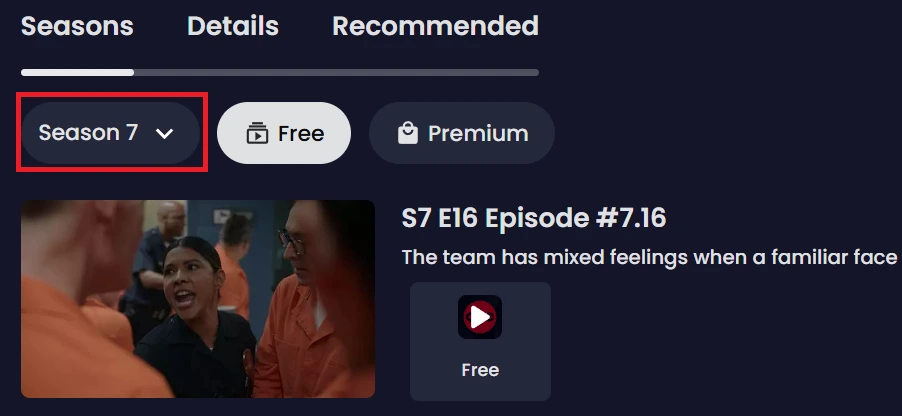
We contributed to search so viewers could look up a title and see available ways to watch it. Depending on the title, playback can happen in FreeCast or open in the provider’s app or website.

FreeCast title page showing seasons, an episode, and the available playback provider

A title page with seasons, episodes, and a playback option. View full-size image

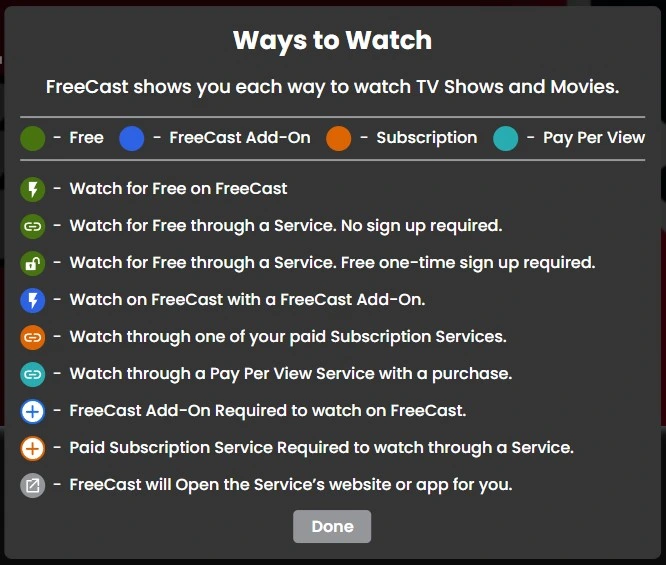
FreeCast Ways to Watch key explaining in-app playback, subscriptions, and links to provider apps or websites

The Ways to Watch key explains how each playback option works. View full-size image

Current product screenshots from FreeCast Support.
03 / Record

Record eligible live programs

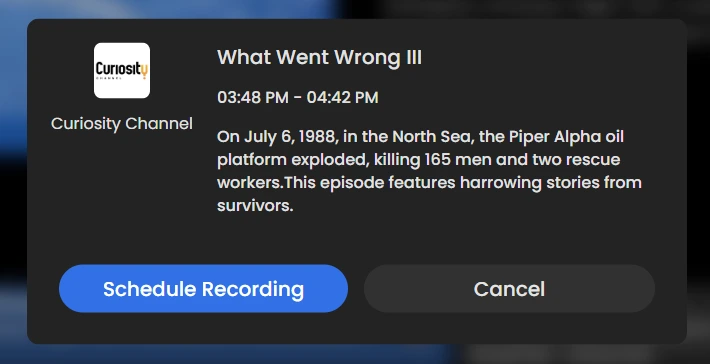
We contributed to DVR workflows that let viewers schedule a recording for eligible programming and find it later.

FreeCast program dialog showing the Schedule Recording and Cancel buttons for an upcoming program

Schedule Recording for an upcoming program. FreeCast documents DVR for eligible Value/Premium programming. View full-size image

Current product screenshots from FreeCast Support.
04 / Manage

Manage streaming options

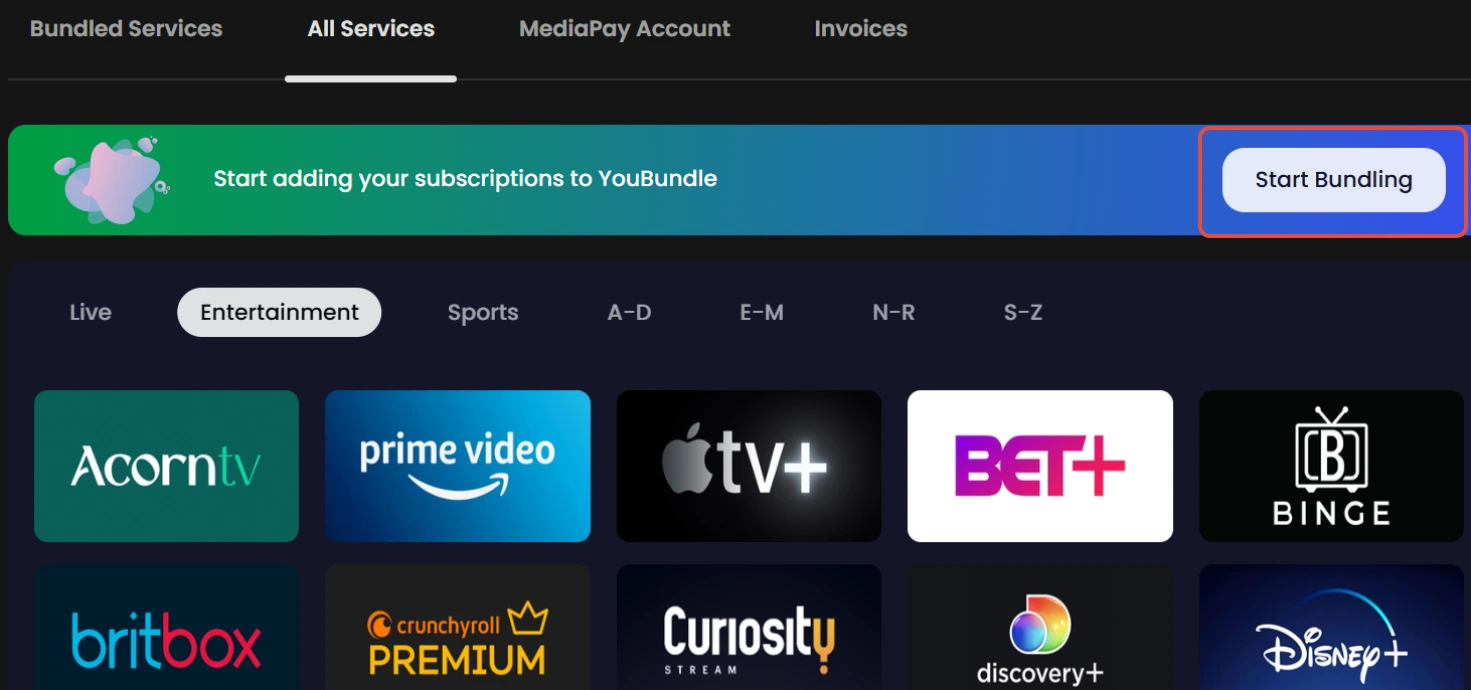
We contributed to subscription management. FreeCast’s YouBundle experience lets viewers connect supported services and discover content from those services.

FreeCast YouBundle All Services screen with a Start Bundling button and a selection of supported streaming services

Choose supported services in YouBundle. Existing payment arrangements can stay unchanged; payment bundling is optional. View full-size image

Current product screenshots from FreeCast Support.
Engagement stack
  • Next.js
  • TypeScript
  • React
  • Node.js
  • Express
  • WebRTC

03 / FreeCast platform facts

A streaming platform built for a broad catalog

FreeCast · Fiscal 2026 filing

700+ channels across the platform

FreeCast reported more than 700 channels in its fiscal 2026 annual filing, including free streaming, eligible broadcast, and premium channels.

Read the annual filing (opens in a new tab)

Building a streaming or video platform?

Tell us what viewers need to find, watch, or manage. In a free 20-minute call, we’ll help you decide which workflow to build first and what can wait.

Request a free 20-minute callExplore more success stories